
Managing Your Deriv Login Account: A Complete Guide
🔐 Learn how to create, verify, and secure your Deriv login account easily in Kenya. Get step-by-step tips for smooth access and troubleshooting! 📱
Edited By
Emily Richards
TradingView offers a powerful platform for traders and analysts to monitor market trends, perform technical analysis, and make well-informed decisions. When you connect your Deriv account through TradingView, you gain the advantage of seamless trade execution directly from the charting interface, reducing the need to switch between platforms. This integration is especially useful for Kenyan traders seeking efficiency and precision in their trading routines.
Accessing your Deriv account via TradingView requires a straightforward login process that links both accounts securely. You begin by visiting TradingView’s website or app, where you initiate the Deriv login through the broker integration option. Make sure your Deriv account is active and verified to avoid hiccups during this step.
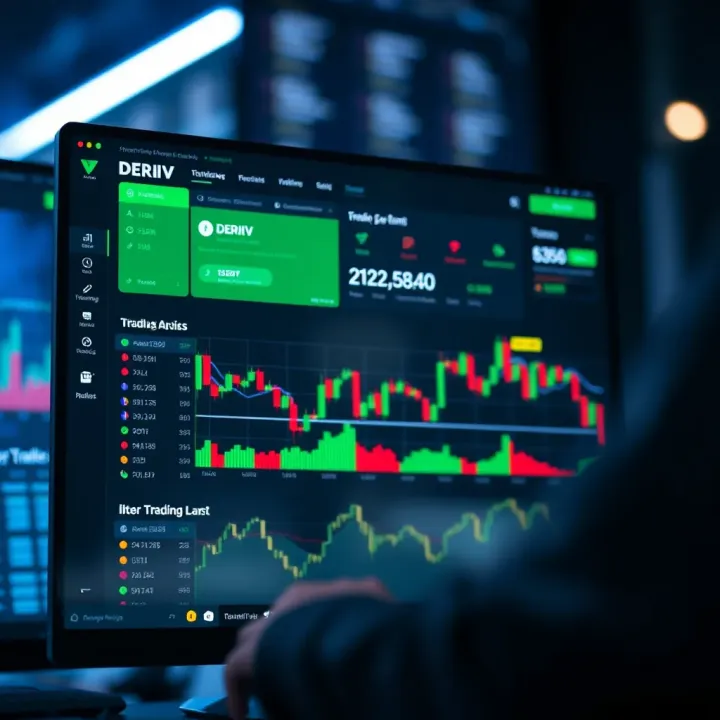
Connecting your Deriv account to TradingView allows for real-time market insights while placing trades without leaving the chart.
Key things to remember during login include the accuracy of your Deriv username and password. For Kenyan users, ensuring a stable internet connection during login is necessary given occasional network fluctuations. Use a strong password and enable two-factor authentication on Deriv to boost account security.
Once logged in, managing your account from TradingView is straightforward. You can monitor positions, manage orders, and review your trading history. This helps maintain a clear overview of your portfolio without juggling multiple platforms.
If you face issues like login failures or connection errors, troubleshoot by clearing your browser cache, ensuring your Deriv account is not locked or suspended, and verifying that TradingView's server is operational. Sometimes, local network restrictions or firewall settings can block connections, so check with your ISP or network admin if problems persist.
In summary, integrating Deriv with TradingView streamlines your trading on both fronts—analysis and execution. By following the correct login steps and maintaining good account hygiene, Kenyan traders can enjoy a smooth and secure trading experience.
In trading, knowing your tools is half the battle. Understanding how TradingView and Deriv platforms work is essential if you want to trade efficiently and safely. Each platform offers unique advantages, and their integration means you can make smarter decisions without juggling multiple screens or accounts.
TradingView is more than just a charting platform. It provides powerful, real-time charts that cover stocks, forex, cryptocurrencies, and commodities. Its interface is user-friendly for both seasoned traders and beginners. A key feature is the social community where traders share strategies and trade ideas — this peer insight can be a real boost for your own analysis.
Technical tools like indicators, drawing tools, and backtesting features let you test strategies before putting your money on the line. For example, if you spot a head-and-shoulders pattern on the EUR/USD chart, you can draw it, set alert notifications, and prepare for possible price moves all in one place.
Deriv offers a variety of trading instruments, focusing mostly on derivatives such as CFDs (Contracts for Difference) and options. It's popular in Kenya because of its flexible account types, competitive spreads, and straightforward deposit and withdrawal methods including mobile money options like M-Pesa.
Deriv’s platform suits traders who want both speed and simplicity. For instance, you can trade forex pairs, synthetic indices that mimic real market behaviour even during off-hours, or digital options with clearly defined risk and reward. Plus, their mobile app is quite handy for those who trade on the go, especially in Nairobi’s busy traffic where sitting at a desktop isn’t always possible.
Connecting TradingView with Deriv streamlines your trading workflow. You can analyse markets on TradingView and execute trades directly through Deriv without logging into separate accounts repeatedly. This integration means your charts and orders talk to each other.
For example, after identifying a suitable buy signal on TradingView for a synthetic index, you can trigger the trade on Deriv immediately. This cuts out delays that might happen switching between platforms. Also, account details like balance and trade history sync so you can track performance easily.
The integration lets Kenyan traders monitor markets closely, take advantage of quick decision-making, and manage funds efficiently, even amid fluctuating network speeds or limited connectivity.
Understanding these platforms' core functions gives you a solid foundation to log in, link accounts, and trade without headaches. It also helps you spot when things go wrong and fix issues fast, which is crucial when real money is on the line.
Logging into your Deriv account through TradingView is a straightforward process that opens the door to advanced charting and seamless trading execution. For Kenyan traders, linking these platforms means you can monitor markets, analyse trends, and place trades all in one place, saving time and reducing errors from switching between multiple apps.

Before attempting to log in via TradingView, ensure your Deriv account is fully verified. This includes submitting required identification documents through the Deriv website or app and confirming your email address. Without proper verification, the system will block access, even if your credentials are correct. Also, check that you have active funds or have linked at least one payment option, such as M-Pesa, to avoid limitations on trading after login.
Start by opening TradingView on your browser or mobile app. Use your TradingView credentials to log in — if you don’t have an account yet, signing up is free and quick. Once logged in, navigate to the 'Brokerage' or 'Trading Panel' section usually found at the bottom of the chart interface. This panel is key to connecting your Deriv account and accessing live trading features directly from TradingView.
In the Trading Panel, select Deriv as your broker. You will be prompted to enter your Deriv login details. Make sure you use the same username and password registered with Deriv. After submitting your details, expect a security verification step, such as a one-time PIN sent to your email or mobile phone. This step reinforces account safety. Once authenticated, your Deriv account is linked, and you should see your trading balance and available instruments within TradingView.
After linking, it's crucial to verify the connection is secure and functioning properly. Check that your account balance updates in real-time on TradingView and that you can execute demo trades if available. Always confirm there is no unexplained lag or data mismatch, as network issues could affect your trade execution. Remember to review your account settings regularly and update your passwords periodically to maintain strong security.
Successful integration of Deriv with TradingView not only streamlines your trading process but also enhances your ability to react quickly to market changes, which is a key advantage for active traders.
Following these steps carefully will save you time and headaches, ensuring you can focus more on analysing and trading rather than technical challenges. Kenyan traders, in particular, can benefit by using this integration alongside local payment methods like M-Pesa, making fund transfers seamless and direct within the platform.
Logging into your Deriv account through TradingView is usually straightforward, but issues can and do arise. Knowing how to address these common login problems helps keep your trading uninterrupted and secure. Troubleshooting credentials, authentication hurdles, forgotten passwords, and connection errors are key parts to a smooth experience. This section shares practical ways to solve these issues, ensuring you spend more time analysing charts and less time stuck outside your account.
Entering the wrong username or password is the most frequent login problem. A simple typo or the accidental use of a wrong capital letter can block access. Double-check your input carefully, especially if you copy and paste the credentials. Kenyans familiar with long passwords from online banking systems understand the risk of mixing up characters. If you have persistent issues, clear your browser cache or try logging in from a different browser. Also, ensure your Deriv account email matches the one linked to TradingView. Keeping a secure, updated password manager can prevent these small mistakes.
Two-factor authentication (2FA) adds a useful layer of protection but can cause headaches. Common issues include delayed SMS codes or problems with authenticator apps like Google Authenticator or Authy. For Kenyan traders relying on mobile networks, weak signal strength or network congestion often delays SMS codes. In such cases, try switching to a stronger network or use an authenticator app if you haven't already. Also, ensure your device clock is set correctly, as time mismatches between your device and the 2FA server affect code validity. If all else fails, you may need to contact Deriv support to regain access after identity verification.
Forgetting your password happens even to the most organised traders. Deriv offers a password reset option accessible via the login page. Have your registered email or phone number ready to receive the reset instructions. Kenyan traders should watch out for spam or delays in receiving emails; check your promotions or spam folder if you don’t see the message immediately. To prevent future hassles, consider using password managers or storing recovery details securely offline. Avoid reusing passwords across platforms to limit security risks.
Sometimes, connection errors occur when linking your Deriv account through TradingView, often due to network instability or browser issues. If you encounter such errors, first check your internet connection since slow or intermittent networks common in some Kenyan regions can cause failed logins. Next, clear your browser cookies and cache before retrying. Disable VPN or proxy services temporarily, as they might interfere with server communication. If the problem persists, verify that both platforms haven’t undergone maintenance or updates affecting integration. That said, keeping your browsers and apps updated helps minimise compatibility issues.
Dealing promptly with common login troubles ensures your trading day isn't disrupted by technical glitches. Taking simple steps like carefully entering credentials, managing 2FA, and maintaining good network settings goes a long way in keeping your account accessible and secure.
By mastering these practical fixes, Kenyan traders can maintain steady access to Deriv via TradingView and focus on making informed decisions.
When you link your Deriv account to TradingView, you combine powerful tools but also increase exposure to certain risks. Understanding security and privacy concerns is not just a formality—it’s a key part of protecting your funds and personal information. As a trader in Kenya, where online scams and cyber threats have become more common, being cautious makes all the difference.
Your login details are the doorway to your trading account, so guarding them must be a top priority. Avoid using simple passwords or the same password across platforms. Instead, create a strong password combining letters, numbers, and symbols, ideally using a trusted password manager. For example, some traders use apps like LastPass or Bitwarden to keep track of complex passwords securely.
It’s critical never to share your credentials through email or messaging apps—even if the request seems official. Scammers often pose as platform support, asking for login details to hack accounts. Also, enable two-factor authentication (2FA) for both TradingView and Deriv. With 2FA, even if someone guesses your password, they still need a code sent to your mobile or email. This layer of protection is especially useful on shared or public networks common in urban areas.
Always treat your credentials like cash—only reveal them to trusted platforms, and keep them guarded.
Linking TradingView and Deriv means your information flows between two separate companies. This includes your trading history, open positions, and account status. Knowing how this data is managed is important. TradingView acts as a frontend charting service, while Deriv handles your actual funds and trades.
Ensure you review the privacy policies of both platforms to see what data they collect and with whom they share it. For instance, make sure no third-party apps are connected to your accounts without your knowledge. If you notice unusual activity or unfamiliar integrations, revoke access immediately. Safeguarding your data prevents misuse or exploitation, which could lead to financial loss or identity theft.
Kenyan internet users often connect through public Wi-Fi spots, such as cafés or shopping malls. These networks can be insecure and easier targets for attackers. When accessing TradingView or Deriv, avoid connecting via open networks without protection.
Using a virtual private network (VPN) can encrypt your traffic and shield your login process from eavesdropping. Choose reputable VPN services that do not log your data. If a VPN is not an option, prefer your mobile data connection for critical activities like trading or logging in.
Keep your devices updated with the latest security patches. Regularly scanning for malware with trusted antivirus programmes helps detect and remove threats that might steal your login details. Also, consider logging out from platforms once you're done trading, especially on shared or public devices.
In summary, securing your access and data between TradingView and Deriv is about layering protection: strong passwords, 2FA, understanding data flows, and being careful with network choices. These practical steps help Kenyan traders stay safe while making the most of these powerful platforms.
Once you've successfully logged into your Deriv account through TradingView, the next step is to make the most out of these platforms working together. The combination offers powerful tools to enhance your trading strategies, but navigating the features effectively is key. Kenyan traders, in particular, can benefit from understanding how to optimise this setup to make timely decisions and manage funds wisely.
TradingView provides a range of charting and analysis tools that can directly influence your trades on Deriv. For instance, you can use advanced indicators like the Relative Strength Index (RSI) or moving averages to monitor market momentum before placing contracts on Deriv. Also, setting alerts on TradingView for specific price levels or technical events helps you react promptly without constantly watching the screen.
Linking your Deriv account with TradingView allows orders to be executed seamlessly based on signals you derive from charts. This integration removes the clumsiness of switching between platforms and reduces the risk of missing trade opportunities in volatile markets.
Kenyan traders should tailor platform features considering local internet reliability and typical trading hours. Since connectivity can be spotty in some regions, setting up notifications or push alerts through the TradingView mobile app ensures you stay updated on significant market changes even when on the move.
Moreover, familiarise yourself with local market hours, such as Nairobi Securities Exchange (NSE) trading times, to effectively align your strategies with active market sessions. Using the time zone settings within TradingView to East Africa Time (EAT) helps avoid confusion when planning trades.
Remember, green and clean internet cafes and reliable power backups can be a practical choice for serious trading sessions, aside from your home setup.
Managing your funds efficiently on Deriv after logging in through TradingView is critical. Deriv supports multiple deposit and withdrawal options suitable for Kenyan traders, including M-Pesa, bank transfers, and e-wallets. Familiarise yourself with each method’s processing time and charges to plan your trades without funding delays.
Besides deposits, monitoring your open positions and daily exposure helps prevent overspending. Use Deriv’s risk management features like stop-loss orders to safeguard your capital against sudden market swings.
Taking time to understand these tools and features ensures you transform your trading experience from basic to strategic, giving you an edge in the markets.
In summary, optimising your trading setup involves using TradingView’s analysis tools smartly, adjusting for local trading conditions, and managing funds with precision. Following these steps lets Kenyan traders harness the benefits of both platforms while minimising risks that come from disconnected trading practices.
🔐 Learn how to create, verify, and secure your Deriv login account easily in Kenya. Get step-by-step tips for smooth access and troubleshooting! 📱
🔐 Learn how to securely log in to your Deriv real account with step-by-step guidance, security tips, and solutions tailored for Kenyan traders.
🔐 Learn the Deriv login process step-by-step, resolve access issues, recover passwords, and master account management for smooth trading experience.
📈 Easy Deriv log in for Kenyan users! Step-by-step access tips, troubleshooting help, security advice, and account management made simple. 🔒
Based on 6 reviews