

How to Use PayPal with M-Pesa in Kenya
Learn how to link PayPal and M-Pesa for smooth online payments in Kenya 🇰🇪. Step-by-step login, account setup, tips, and solutions for freelancers and sellers 📲💸.
Edited By
Emily Harper
SmartTrader on Binary.com provides a straightforward platform for trading binary options, appealing to traders in Kenya who want a simple yet effective way to engage in financial markets. Unlike traditional trading platforms that may feel complex, SmartTrader is designed to be user-friendly while still offering the crucial tools needed for informed decision-making.
Binary options trading means predicting whether an asset’s price will rise or fall within a set time. This can include popular assets like forex pairs (USD/KES), commodities such as gold, or even indices. With SmartTrader, traders can customise their expiry times and choose what type of trade suits their strategy best.
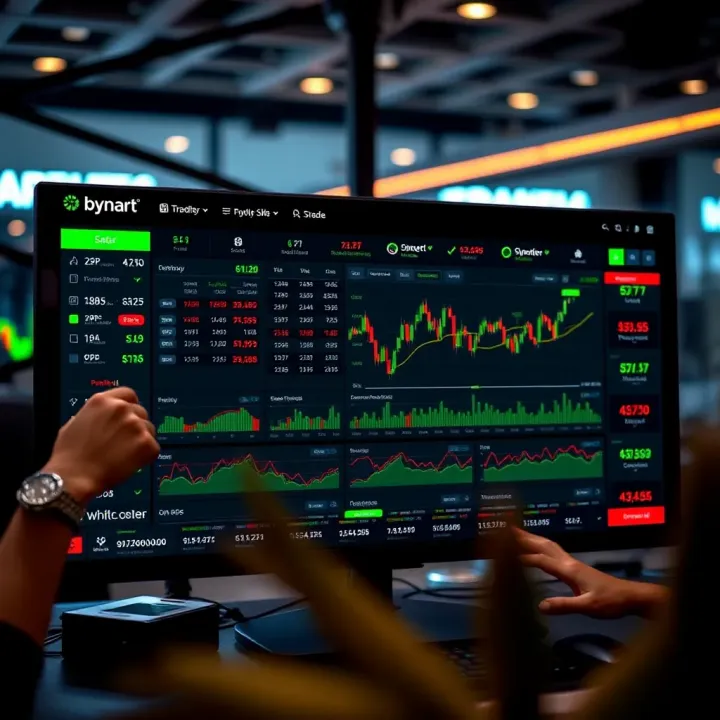
Setting up a SmartTrader account usually involves basic verification steps and funding your account with Kenyan Shillings via options like M-Pesa, bank transfer, or card payments. Kenyan traders should confirm payment options available to them on Binary.com, since these might change with regulations or service providers.
Key features of SmartTrader include:
Multiple trade types: Classic Up/Down trades, Touch/No Touch, and Range options allow for tactics based on different market views.
Live charts and indicators: Real-time price feeds with basic technical indicators help traders spot trends and make timely decisions.
Custom expiry times: Choose from seconds, minutes, or hours, which can fit both short-term scalping and longer holds.
SmartTrader’s intuitive interface lowers the entry barrier for Kenyan investors looking to try binary options without diving into complex trading environments.
Risk management is vital. The platform does not automatically protect against losses, so traders should set limits and avoid risking large amounts on a single trade. For example, starting with small trades of KSh 500 or less can help manage exposure while learning how the market moves.
Overall, SmartTrader on Binary.com offers an accessible gateway to binary options trading in Kenya, with tools suited for beginners and intermediate traders keen on experimenting with different strategies under real-market conditions.
Understanding the platform you trade on is key for any investor or finance professional. This section sheds light on SmartTrader and Binary.com, explaining their roles in the binary options market, so you can make informed decisions and avoid unnecessary risks.
Binary.com has been around since 1999, steadily building a reputation as one of the older online trading platforms. Its longevity in the market signals reliability, which matters when you entrust your money. For Kenyan traders, this platform offers a straightforward gateway to binary options, a market not always accessible through local brokers.
The company's credibility also extends to how it secures client funds. It uses strict safety features including segregated accounts, which means your trading money is kept separate from the company’s operational funds. This reduces the risk of losing your funds if the company encounters financial troubles. Such a setup gives traders an extra layer of security when trading online.
Binary.com operates under regulation from jurisdictions like the Malta Financial Services Authority and the Isle of Man Financial Services Authority. Although it is not licensed by Kenyan regulators such as the Capital Markets Authority, it complies with global financial standards to maintain transparency and protect users. This regulatory oversight implies a commitment to fairness and security, although Kenyan traders should always be cautious when using offshore platforms.
SmartTrader is Binary.com's flagship trading interface. It exists to simplify trading binary options by offering a clear user interface that even newcomers can quickly adapt to. Its design focuses on ease of use without sacrificing depth in trading tools. For instance, on SmartTrader, you can instantly access different types of options trades and customise charts to follow market movements closely.
What sets SmartTrader apart from other Binary.com products is its focus on simplicity combined with powerful features. While the platform also offers MetaTrader support and advanced APIs, SmartTrader provides a direct, accessible way to engage with binary options without needing third-party software. This makes it particularly suitable for individual traders and small-scale investors familiar with basic trading concepts but who want quick execution and straightforward controls.
SmartTrader is ideal for Kenyan traders seeking a balance between usability and functionality on Binary.com without getting overwhelmed by complex tools.
In summary, knowing Binary.com’s background, regulatory position, and the place of SmartTrader within this ecosystem helps build confidence. It equips you to use the platform wisely, with clear expectations about its capabilities and safeguards.
Setting up your SmartTrader account is the first step towards a smooth and effective trading experience on Binary.com. Without proper registration and funding, you cannot access the platform's tools or place trades, so this section covers key steps needed to get you started quickly and hassle-free. This helps avoid delays, especially for Kenyan traders who must meet local requirements and prefer convenient payment methods.

Kenyan users need to provide valid identification documents when creating an account on Binary.com. This typically includes a national ID card or passport and proof of residence such as a recent utility bill or bank statement. These documents ensure compliance with regulatory measures aimed at preventing fraud and protecting your investments. The verification process is generally straightforward but can take a few days depending on how quickly you submit accurate documents.
Account registration requires you to meet the minimum age of 18 years and to provide a valid email address and phone number for communication. Since local laws require transparency in financial transactions, you must also confirm your banking details when funding or withdrawing.
Start by visiting Binary.com’s registration page, where you enter your personal details including full name and contact information. Make sure to double-check spellings to avoid verification issues later. After submitting, you will receive an email with a verification link—clicking this confirms your email address.
Next, upload your identification and proof of residence documents through the secure portal. The platform will review these and notify you once your account is verified. It’s practical to have your documents scanned or photographed clearly in advance to avoid delays. Once verified, you can begin funding your account and access the full features of SmartTrader.
Binary.com offers multiple payment options tailored for Kenyan traders, the most popular being M-Pesa due to its widespread acceptance and convenience. You can also fund your account using bank transfers, credit/debit cards, and e-wallets like Skrill or Neteller. M-Pesa deposits happen quickly, often within minutes, allowing you to start trading without long waits.
The availability of these options means you do not need a bank account to participate; a mobile money account suffices, which suits many Kenyan users. Bear in mind that payment fees and processing times may vary between methods, so choose what fits your trading schedule best.
When depositing, always confirm the exact amount you want to invest and check that you use the correct payment details linked to your Binary.com account. This helps avoid misdirected funds which can be time-consuming to recover.
Withdrawals should be requested through the SmartTrader platform, typically processed back to the source of your deposit, such as your M-Pesa or bank account. Kenyan users should note that withdrawals may take up to 2-3 business days. For smooth transactions, maintain updated profile information, and verify your account completely before making large transactions. This reduces the chance of delays or requests for additional documentation.
Remember, starting with a well-set account and reliable funding methods paves the way for smarter, hassle-free trading with SmartTrader on Binary.com.
Understanding the trading tools available on SmartTrader is essential for making informed decisions and trading confidently. The platform offers several trade types that suit different market conditions and trading styles, alongside tools to analyse market movements. Knowing how to use these effectively helps traders manage risk and spot opportunities early, which is especially relevant in Kenya’s fast-moving markets.
High/Low options let you predict whether an asset’s price will be higher or lower than the current level at the expiry time. For example, if USD/KES is trading at 110.50 and you expect the price to rise in the next hour, placing a 'High' option allows you to profit if the price closes above that level. This trade type suits beginners as it is straightforward and the potential payout is clear upfront.
Touch/No Touch options focus on whether a price will hit a specific barrier before expiry. You might bet that the Nairobi Securities Exchange (NSE) index will touch 1700 points within the next three hours. If it hits that level even once, a 'Touch' option wins. Conversely, 'No Touch' means the price must stay away from the specified level. This type can offer higher payouts but carries more risk, demanding careful market analysis.
In/Out options require predicting if the price will stay within a set range ('In') or break out of it ('Out'). For example, if the price of coffee futures remains between KS00 and KS20 for the next 30 minutes, choosing 'In' wins. This trade type works well when markets show low volatility or clear trends.
Interpreting the live market charts on SmartTrader helps you track real-time price movements. Kenyan traders can watch how currencies like USD/KES perform against other assets and spot sudden price jumps caused by local or global news, such as central bank announcements or commodity price shifts. This insight enables timely entries and exits.
Customising chart views for better decisions means adjusting timeframes, chart types (candlestick, line, bar), or adding indicators like moving averages and RSI. For instance, a candlestick chart with a 15-minute timeframe might reveal short-term momentum in maize futures during harvest season. Such customisation tailors the view to your strategy, improving accuracy.
How past trends influence trading strategies is clear when you observe recurring price patterns. A trader noticing that the NSE 20 share index tends to rise mid-month after government economic updates can plan buys accordingly. Historical data reveals cyclical behaviours and reactions to events, vital for making smarter predictions.
Tools available for analysis within SmartTrader include heat maps, trend lines, and volatility indicators. These features help Kenyan traders measure market strength or potential reversals. For example, a sudden spike in volatility on an oil contract may hint at upcoming price swings, suggesting that conservative trade sizes or hedging could be wise choices.
Using SmartTrader’s tools wisely lets you see beyond the immediate price and understand market movements better, giving you an edge in Kenya’s dynamic trading environment.
Trading on SmartTrader requires more than just understanding the platform — having solid strategies can dramatically improve your chances of success. This section focuses on practical approaches that help you manage risk, make informed decisions, and navigate the market effectively in real time.
Setting sensible trade amounts is a key first step in protecting your capital. It’s tempting to go big after a few wins or chase losses quickly, but betting overly large amounts can wipe out your wallet fast. For instance, if you start with KSh 10,000, consider limiting each trade to 1-2% of your total balance, so about KSh 100 to KSh 200 per trade. This approach gives you room to absorb losses without shutting down your account immediately.
Using stop-loss and limit orders helps you tighten control over your trades by automatically closing them at set points. Stop-loss orders prevent excessive loss by selling a position once it reaches a certain negative value, while limit orders secure profits by closing a trade when it hits a target gain. On SmartTrader, these tools can keep your emotions out of trading decisions and make your risk management more consistent — crucial in the often fast-moving binary options markets.
Trend following and reversal trading are two strategies that many SmartTrader users rely on. Trend following means you identify and ride a market’s momentum, such as when a currency pair steadily gains value over hours or days. Trading with the trend usually carries less risk since you’re moving with market forces. Alternatively, reversal trading looks for moments when a trend may change direction. This requires a good eye on market signals and usually tight stop-loss orders. For example, after a steady rise of the USD/KES pair, a sudden slowdown in volume could signal a reversal opportunity.
Short-term versus long-term trades address different trading styles and risk appetites. Short-term trades might last a few minutes to an hour, aiming for quick wins on small price movements; these suits traders who can watch the market closely. Long-term trades might span several hours or days, targeting bigger swings and reducing the friction of frequent decision-making. On SmartTrader, you might use short-term options during Kenyan market hours when liquidity is high, and switch to longer trades when the market is less active, balancing workload and exposure.
Sticking to clear strategies and managing your risk carefully can transform SmartTrader from a risky gamble into a disciplined trading tool that fits your financial goals and schedule.
Trading on SmartTrader is not without its pitfalls, especially when real money is at stake. Knowing the common challenges and how to avoid them can save you from costly errors and frustration. From technical glitches that disrupt your trades to simple behavioural mistakes that cloud judgment, being aware helps you stay disciplined and improve your chances of success.
One frequent technical problem users face is platform lag and connectivity issues. This happens when the SmartTrader platform responds slowly or disconnects during crucial moments. For example, a lag can delay order execution by a few seconds, turning a potentially profitable trade into a loss. In Kenya, where internet stability can be spotty, this problem is even more relevant. Slow connections or sudden drops in mobile data can interrupt your trading flow, affecting your ability to make timely decisions.
To ensure a smooth trading experience, make sure you have a reliable internet connection, preferably broadband or a stable 4G network. Avoid trading on public Wi-Fi hotspots or networks prone to interruptions. Closing other applications or browser tabs that consume bandwidth can also improve performance. Additionally, using the latest version of your browser and clearing cache regularly helps prevent glitches. Consider having a backup device or connection option ready, such as a second SIM card with a different network provider, so you can switch if one goes down unexpectedly.
Impulsive trades are a major hurdle for many traders. It’s tempting to jump into action whenever the market moves, but this can quickly drain your capital. For instance, you might rush to place a high stake just because you feel lucky or see a sudden surge. However, such spontaneous decisions often ignore analysis or risk management rules, increasing the chances of losses. SmartTrader makes it easy to enter trades, but that ease shouldn’t lead to carelessness.
Sticking to a clear trading plan helps curb impulsive behaviour. Set limits on how much you’re willing to risk per trade and pick trades based on your strategy rather than gut feeling. If you feel pressured to act quickly, pause and double-check your analysis or take a short break to clear your mind.
Ignoring market news and signals is another common mistake. Binary options are highly sensitive to current events, like economic reports or political changes. For example, a sudden announcement by the Central Bank of Kenya about interest rates can shift market direction fast. Ignoring such news can leave you caught on the wrong side of a trade. SmartTrader users should pay close attention to financial calendars, local and global news, and technical signals before entering trades.
Integrate news updates into your daily trading routine. Use trusted financial news sources and SmartTrader’s built-in data tools to stay informed. This simple step can make your trading decisions more timely and accurate, helping you avoid unnecessary losses.
Technical issues and trading mistakes often hit when least expected. Preparing ahead and following a disciplined approach is the best defence to keep your trading both effective and enjoyable.
Learn how to link PayPal and M-Pesa for smooth online payments in Kenya 🇰🇪. Step-by-step login, account setup, tips, and solutions for freelancers and sellers 📲💸.

📈 Learn how Kenyans can easily register, login, and secure their Olymp Trade account with practical tips for smooth trading and troubleshooting common issues.

🔐 Learn how to create your Quotex trading account, log in easily, resolve common hiccups, and secure your investments. Tailored for Kenyan traders seeking smooth trading and smart tips.

Learn how to connect Deriv with M-Pesa for smooth trading in Kenya 📱💹. Get practical tips, benefits, and safety advice for hassle-free transactions.
Based on 6 reviews