
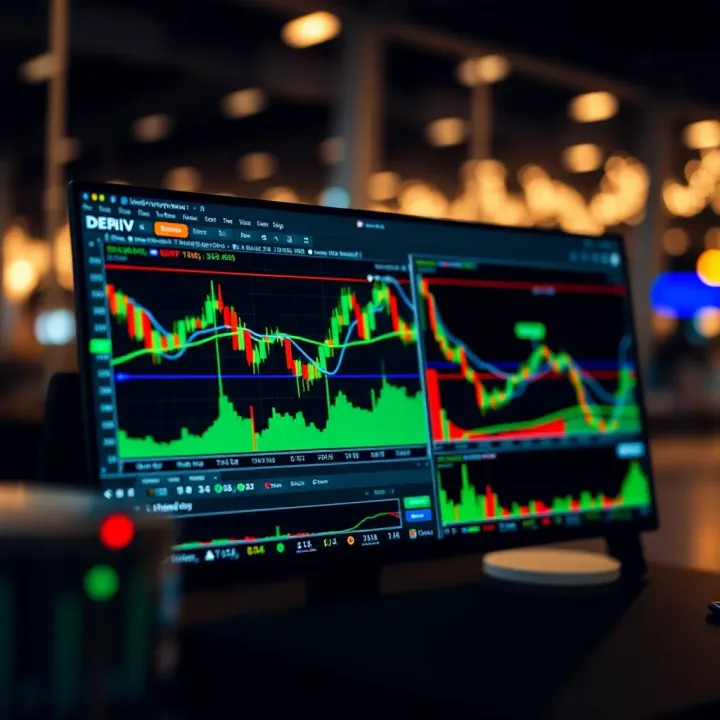
How to Use TradingView on Deriv for Market Analysis
Explore how Deriv and TradingView charts work together 📈 for smarter trading. Learn tips and tricks to improve your market analysis for effective decisions.
Edited By
Lily Davidson
Integrating TradingView charts into the Deriv platform offers traders a powerful visual tool for analysing market movements. TradingView is well-known for its user-friendly interface, extensive technical indicators, and real-time data. By combining these charts with Deriv’s trading environment, users gain deeper insights that can enhance their decision-making.
Deriv already provides various charting options, but TradingView’s dynamic features take visual analysis a notch higher. With TradingView, you can customise chart layouts, overlay indicators, and draw trend lines all within an intuitive setup. This flexibility suits different trading styles, whether you focus on short-term forex scalping or longer-term commodities and indices.

Before starting with the integration, it is vital to prepare your Deriv account and familiarise yourself with TradingView’s widget options. The setup involves embedding TradingView’s interactive charts through JavaScript into Deriv’s trading interface. This process allows traders to view detailed price actions without switching between platforms, saving time and reducing the risk of missing critical market moves.
Having TradingView charts embedded directly on Deriv ensures continuity in analysis, preventing distractions or delays commonly experienced when toggling between separate tools.
The practical benefits are clear:
Real-time updates on market prices and volumes
Access to hundreds of technical indicators and drawing tools
Ability to save customised chart settings for repeated use
Interactive charts that respond to user inputs smoothly
This integration requires basic web development knowledge if you plan to customise beyond default settings. However, for most traders, the ready-made TradingView widgets work perfectly with minor adjustments.
In the following sections, we explore the step-by-step technical setup, potential challenges during implementation, and how to make the most of TradingView charts to improve your trading strategy on Deriv. Understanding these aspects will help you use the platform efficiently and confidently, leading to better-informed trades.
Integrating TradingView charts into Deriv is more than just adding fancy graphs; it's about bringing powerful, practical tools to the trader’s fingertips. For anyone trading on Deriv, understanding TradingView’s role helps to unlock better analysis, quicker decisions, and a smoother experience overall. When you know why and how TradingView fits in, you can leverage its tools for smarter trades.
TradingView offers charting tools that go beyond the basics found on many platforms. For instance, traders on Deriv can access detailed candlestick patterns, volume profiles, and advanced overlays, which are crucial when trying to time entry and exit points. This means instead of just guessing, a trader can see well-mapped trends and key price levels clearly. For example, a Kenyan trader dealing in forex on Deriv can use TradingView’s multi-timeframe analysis to spot an uptrend on the daily chart while confirming entry points on the 15-minute chart.
Technical analysis depends heavily on indicators and chart patterns. TradingView brings hundreds of built-in indicators like RSI, MACD, and Bollinger Bands, plus the ability to customise or create new ones. This flexibility gives Deriv traders an edge when analysing diverse markets—from commodities like coffee and gold, to forex pairs like USD/KES. It allows them to tailor the chart to their strategy, like combining trend-following tools with momentum indicators, which many traders in Kenya find useful during volatile sessions around the US and European market hours.
Beyond charts, TradingView’s interface is known for being intuitive and responsive. Embedding this in Deriv means traders get a seamless experience without switching apps or tabs. The smooth navigation, zoom, and scrolling means users can analyse market behaviour on desktops or mobiles without lag or confusion. Plus, the modern look aligns with Deriv’s clean interface, making it easier for new and experienced traders alike to stay focused on the charts and their trades rather than handling clumsy tools.
One of TradingView’s strongest points is the ability to tailor charts extensively. Whether it’s changing colours to match Deriv’s brand or adding preferred indicators, traders get personalised views to suit their style. For example, a trader interested in swing trading might prefer longer period moving averages and Fibonacci retracements, which TradingView can display clearly. This level of customisation helps Deriv users not just see price movements but interpret them effectively.
Time is money in trading, and TradingView delivers real-time data that does not lag. This matters for Deriv traders watching volatile assets like cryptocurrencies or forex, where prices can change within seconds. With up-to-date feeds, traders avoid missing crucial moments, such as breakouts or reversals. The fast refresh rates also support setting alerts or executing trades quickly, which can directly impact profitability.
TradingView features an active community that shares custom scripts and trading ideas. This is particularly helpful for Deriv users looking for new strategies or wanting to test indicators built by others. For instance, a Kenyan trader might find a script tuned for emerging market forex volatility, improving their approach on Deriv’s platform. This social aspect keeps traders informed and inspired, making TradingView not only a tool but a collaborative environment.
Integrating TradingView with Deriv bridges high-quality analysis and practical trading, helping users trade with confidence and clarity on a platform they trust.
Preparing well before integrating TradingView charts on Deriv is essential for smooth operation and reliable performance. This phase ensures that the technical setup meets platform requirements, and access credentials are properly managed, reducing risks of errors or data mishandling once live.

Deriv platform compatibility considerations must come first. Deriv operates on a mix of web and mobile environments, with JavaScript extensively used for interface features. So, any TradingView widget or custom integration needs to be fully compatible with Deriv’s technology stack to avoid crashes or display issues. For example, widgets must work well with Deriv’s React-based front end and adapt to its responsive design for seamless user experience on mobile devices popular in Kenya.
Next, understanding TradingView widget options is key. TradingView provides different widgets such as the lightweight Charting Library and embeddable charts tailored for various asset classes. Choosing the right widget depends on factors like required customisation, data update frequency, and performance needs. For instance, Kenyan traders focusing on forex might benefit more from real-time price charts with faster update rates, while others preferring derivatives might prioritise advanced indicators.
Regarding necessary developer tools and environment, developers working with Deriv and TradingView should equip themselves with modern web development kits — including Node.js, npm, and browser debugging tools. Local setups must replicate Deriv’s deployment environment to test widget functionality correctly. Using IDEs like Visual Studio Code and tools such as Postman to verify API interactions will expedite development and reduce errors.
Obtaining TradingView widget access involves registering for TradingView’s API or embedding features via their official site. This access typically comes with API keys or widget tokens that authenticate the integration. For instance, developers should request appropriate permissions early to avoid delays, especially since access can differ based on widget types or service tiers.
In security and permissions management, safeguarding API keys is critical. Using environment variables to store keys instead of hardcoding them reduces risk exposure. Additionally, role-based access controls should limit who can update API credentials within the development team, preventing accidental leaks or misuse.
Finally, connecting Deriv user data securely means establishing encrypted data channels when passing user information between Deriv and TradingView widgets. This prevents interception or tampering of sensitive trading data. Implementing HTTPS protocols and session management safeguards keeps user accounts and trading activities safe, which is particularly vital for compliance with data protection standards and maintaining trader trust across Kenya’s growing online trading community.
Proper preparation ensures your TradingView integration on Deriv runs without hiccups, offering traders reliable, real-time insights where they need them most.
This groundwork sets the stage for a robust, secure, and user-friendly integration, letting your users benefit fully from TradingView’s powerful charting tools directly within the Deriv platform.
Embedding TradingView charts on the Deriv platform is a key step to enhance trading precision. This guide walks you through the practical details, helping you bring advanced charting tools directly to your users. By following clear steps, you avoid common pitfalls and ensure the integration fits naturally into Deriv's environment.
TradingView offers several widget types, each suited to different needs. The popular ones include the standard chart widget for real-time price tracking, the technical analysis widget for indicator-rich views, and the mini charts for compact summaries. Selecting the right widget depends on your trading audience's focus and the asset class they engage with.
For example, Kenyan traders dealing mostly in forex pairs might prefer the real-time interactive chart widget, as it allows quick indicator adjustments for faster decisions. On the other hand, commodities traders might lean towards the technical analysis widget to utilise complex overlays. Matching the widget type with the specific asset class on Deriv ensures relevance and smoother user experience.
Theme and colour settings are key for a seamless look. Deriv’s platform uses a light theme with blue and grey accents, so adjusting the widget’s colours to blend in avoids jarring contrasts. Changing background, gridlines, and font colours helps maintain a consistent brand identity, which builds user trust.
Configuring indicators and chart settings follows next. For Kenyan traders, popular indicators like Moving Average Convergence Divergence (MACD), Relative Strength Index (RSI), and Bollinger Bands are vital. Pre-setting these on the widget saves users time and encourages immediate use. Chart settings can also be adjusted to preferred time frames such as 15 minutes or 1 hour, common among active traders.
Finally, responsive layout consideration is crucial. Since many Deriv users trade on mobile devices or tablets, the TradingView widget must resize cleanly across screens. Ensuring buttons, labels, and charts scale properly prevents usability headaches and keeps the interface intuitive.
Embed methods depend on how Deriv accepts external code. The simplest way involves copying TradingView’s JavaScript snippet into Deriv’s page template. This snippet includes parameters for widget type, dimensions, and symbols. Proper placement within the interface avoids layout breaks and enables smooth loading.
Data communication between Deriv and TradingView requires managing events like symbol changes or time frame updates. For example, when a user selects a different asset on Deriv, the widget should update accordingly. This can be handled via JavaScript event listeners that connect both platforms, allowing dynamic interaction without page reloads.
Testing is essential before going live. Common issues include slow widget load times, misaligned layouts, or missing data on certain assets. Running thorough checks across browsers and devices caught potential problems early, preventing user frustration. Tools like browser developer consoles help pinpoint JavaScript errors or CSS conflicts for quick fixes.
Embedding TradingView charts on Deriv isn’t just about pasting code—it requires thoughtful widget selection, seamless design matching, and careful data handling to provide a smooth trading experience that Kenyan traders can trust and rely on.
Using TradingView charts on the Deriv platform isn't just about having fancy visuals—it’s about making smarter, informed trading moves. These charts provide real-time data and detailed insights that guide traders to spot trends, reversals, and market confirmations before placing their trades. For Kenyan traders, who often juggle multiple assets like forex, commodities, and synthetic indices on Deriv, learning to read and use these charts well can mean the difference between profit and loss.
Most popular indicators among Kenyan traders
Kenyan traders often rely on straightforward indicators that suit fast decision-making. The Relative Strength Index (RSI), for example, helps gauge when an asset might be overbought or oversold—useful in volatile markets like forex pairs involving the Kenyan shilling (KES). Moving Averages (MA), especially the 50- and 200-day lines, are favourites because they quickly show the overall trend direction. Bollinger Bands also come in handy; they show price volatility and help predict potential breakouts or reversals, critical for traders dealing with sudden market shifts during major economic announcements.
Using drawing tools to identify patterns
Drawing tools on TradingView let traders sketch trendlines, support and resistance levels, and chart patterns like head and shoulders or triangles. For instance, a trader watching the USD/KES pair can mark consistent support levels around a certain price; once broken, it signals potential entry or exit points. These visual cues simplify complex analysis, making it easier to spot price behaviour before market moves, especially for busy traders in Nairobi or Mombasa who want quick but reliable signals.
Setting alerts for market movements
Alerts on TradingView notify traders of important price moves or indicator changes without staring at the screen all day. On Deriv, setting alerts for specific price points or RSI crossing thresholds helps traders act timely—say if the EUR/GBP hits a level that typically triggers bullish momentum. This feature saves time and increases reaction speed, crucial in Kenya’s dynamic market where some traders also balance other hustles alongside trading.
Analysing multiple time frames
Looking at different time frames on TradingView charts gives a richer understanding of asset trends. A Kenyan trader might check the 15-minute chart for quick trade timings while reviewing daily charts for the bigger trend. This approach helps avoid misleading signals that appear on just one time frame. Combining signals from multiple horizons also aids in confirming trade setups, reducing the risk of jumping into false moves.
Combining TradingView signals with Deriv assets
Deriv offers various assets, like forex pairs, commodities, and synthetic indices, each behaving differently. Integrating TradingView insights into these asset choices helps tailor strategies. For example, if TradingView shows strengthening bullish signals in gold, a trader can focus Deriv trades on gold CFDs. Meanwhile, if forex pairs display sideways movement, focusing on synthetic indices with clearer trend signals might be smarter. Matching chart readings with asset behaviour improves trade precision.
Risk management using chart data
Charts aren't just for entry points; they’re essential for setting stop-loss and take-profit levels. Using support and resistance drawn on TradingView, traders can define exit points to limit losses or lock profits. For instance, if a trader buys oil CFDs on Deriv, placing a stop-loss just below a recent support line reduces exposure if the market reverses. Effective chart-based risk management helps Kenyan traders safeguard their capital, especially in volatile markets prone to spikes.
Using TradingView charts effectively on Deriv lets traders make decisions based on solid data, not just guesswork. Practical use of indicators, multiple time frames, and alerts provides the tools needed to trade with confidence and control risk in Kenya’s dynamic markets.
Integrating TradingView charts into the Deriv platform brings many advantages, but it is not without challenges. Understanding these difficulties—and how to address them—ensures traders get accurate, smooth, and secure charting experiences. This section covers key issues like latency, security, and ongoing maintenance, highlighting practical steps to optimise integration for Deriv users.
One major challenge is keeping chart prices synchronised with live market data. If latency affects data flow, traders might see delayed or outdated ticks, leading to poor trade decisions. For instance, a slight lag during volatile forex hours in Nairobi could mean missing a quick uptrend or downtrend on Deriv’s charts. To tackle this, the integration must prioritise direct data streaming where possible and implement efficient caching strategies to reduce lag.
Maintaining data precision relies on syncing TradingView’s updates with Deriv’s backend streams. Periodic checks against Deriv’s latest price feed help avoid discrepancies. Developers can employ WebSocket connections for constant updates rather than relying solely on slower HTTP requests, improving update speed and keeping chart information fresh.
Slow charts frustrate users, especially when they need rapid analysis. Heavy custom indicators or unnecessary scripts can bog down TradingView widgets, making pages sluggish. On top of that, mobile users on limited data or slow networks in smaller towns may struggle.
The ideal approach is to only load essential features initially and defer optional extras until needed. For example, showing basic candles and price action first, then loading more complex overlays and scripts afterward. Compressing widget resources and leveraging browser caching also help reduce load times, offering a smoother experience across desktops and mobiles.
Embedding TradingView charts requires handling user data carefully, especially if personalised settings or portfolio info are involved. Any data shared between Deriv and TradingView must be encrypted and stored securely to avoid breaches or misuse. Traders expect their account details and trading activity to be safeguarded against unauthorised access at all times.
Implementing strict data minimisation principles ensures only necessary information is transferred. Also, transparent privacy policies reassure users on how their data is handled in the integration, strengthening trust.
Integrating with TradingView’s API calls for strong authentication measures to prevent security risks. For example, using OAuth tokens with limited scopes rather than broad keys reduces potential exposure. Regularly rotating API keys and monitoring usage logs help detect anomalies early.
Deriv developers should treat API credentials like sensitive passwords, never hard-coding them into public codebases. Instead, using secure environments and encrypted storage guards against leaks, keeping the integration robust.
TradingView regularly rolls out new features, bug fixes, and changes in widget APIs. Failing to adapt can cause parts of the integration to break or behave unexpectedly. For instance, an update changing chart rendering might affect indicator display on Deriv without timely code updates.
To prevent downtime or poor user experience, Deriv’s development team needs to monitor TradingView release notes closely and test new versions in staging environments before pushing to live. This proactive approach ensures steady performance and allows users to benefit from enhancements quickly.
Deriv itself evolves, with occasional updates to the platform architecture, frontend frameworks, or backend services. These shifts can affect embedded TradingView charts if integration code isn’t adaptable.
Regular regression testing of the integration alongside Deriv platform updates helps identify conflicts early. Building modular code that can accommodate tweaks without extensive rewrites also simplifies future maintenance. Staying in tune with both TradingView’s and Deriv’s development cycles keeps the integration seamless for traders.
Tackling these common challenges with mindful planning and ongoing care pays off with a reliable TradingView experience on Deriv. Traders get fast, secure, and accurate charts that improve their market decisions every day.
Explore how Deriv and TradingView charts work together 📈 for smarter trading. Learn tips and tricks to improve your market analysis for effective decisions.

🔧 Learn how to seamlessly connect Deriv trading functions with TradingView charts. Explore key features, steps, and tips for smooth integration and better trades.

📈 Explore app.deriv.com in detail! Learn how Kenyan traders can set up accounts, navigate tools, ensure security, and get support for smarter decisions.
📈 Discover how Kenyan traders use TradingView charts for binary options. Learn key indicators, chart customization, risk management & platform integration!
Based on 13 reviews