
How to Use Deriv with M-Pesa in Kenya
Learn how to connect Deriv with M-Pesa for smooth trading in Kenya 📱💹. Get practical tips, benefits, and safety advice for hassle-free transactions.
Edited By
Amelia Clarke
For many Kenyans involved in online trading, freelancing, or e-commerce, combining PayPal with M-Pesa offers a convenient way to handle cross-border payments. PayPal is widely used for international transactions, while M-Pesa dominates as the local digital money platform. Understanding how to connect both properly can save you time and avoid extra fees.
Linking your PayPal account to M-Pesa allows you to receive payments from abroad and withdraw funds directly to your mobile money wallet. This setup is especially useful for freelancers working with global clients or small businesses selling to customers overseas. The process demands a clear grasp of the login steps, verification requirements, and transaction protocols to ensure smooth fund transfers.
Successful integration of PayPal and M-Pesa enables transparent money flows without depending on third-party exchangers or incurring hefty conversion charges.
You will need to have both active PayPal and M-Pesa accounts with verified details. Plus, make sure your KRA Personal Identification Number (PIN) and other essential documents are in order for potential tax or compliance checks.
This guide breaks down the practical steps to log into PayPal safely, how to link it to M-Pesa, and highlights some common challenges users face—such as currency restrictions or account limitations. We'll also share tips on managing your funds efficiently between these platforms, helping you maximise your online transactions within Kenya’s financial ecosystem.
Whether you're new to digital payments or looking to optimise your current setup, this article aims to give you clear, actionable insights for using PayPal with M-Pesa effectively. That said, navigating through both systems with the right approach ensures your funds arrive quickly and securely, enhancing your business or personal money management.
Connecting PayPal with M-Pesa presents an opportunity to ease cross-border transactions, especially for Kenyan traders, freelancers, and business owners. Understanding how these two payment systems interact is key to using them effectively for receiving or sending payments internationally.
PayPal is an international digital wallet widely used for sending and receiving money online. It supports payments in multiple currencies and connects to bank accounts and cards globally. M-Pesa, on the other hand, is Kenya's dominant mobile money service. Operated by Safaricom, it allows users to transfer money, pay bills, and buy goods through mobile phones without needing a bank account. Combining PayPal’s global reach with M-Pesa’s local accessibility offers a practical bridge between international clients and Kenyan users.
Linking PayPal with M-Pesa allows Kenyans to withdraw international payments directly into their M-Pesa wallets, making funds available instantly without the hassle of converting to a bank account. This is particularly handy for freelancers paid by overseas clients through PayPal. For example, a Kenyan graphic designer working with clients in the US can receive PayPal payments then cash out via M-Pesa without extra bank charges or delays. Also, small online traders who source goods abroad can use PayPal to pay suppliers and settle local transactions through M-Pesa.
Using these two platforms together reduces dependency on banks and avoids lengthy paperwork or foreign currency exchange offices.
Despite the benefits, there are some restrictions. PayPal does not allow direct linking of accounts to mobile money wallets like M-Pesa for automatic transfers. Instead, users often need an intermediate bank account to withdraw PayPal funds before moving money to M-Pesa. Currency conversion fees apply, and PayPal fees can be higher than local mobile money charges. Additionally, Kenyan regulations limit the amount one can transact per day or month under mobile money rules, so users must be aware of transaction caps.
Moreover, while M-Pesa works well within Kenya, international sending via PayPal might involve delays or partial restrictions on certain payment types. For traders and investors, understanding these nuances helps avoid unexpected hold-ups.
Knowing these details helps Kenyan professionals and businesses navigate financial transactions smoothly, bridging local and global markets with fewer hiccups.
Linking PayPal with M-Pesa in Kenya opens doors for seamless cross-border payments, whether you are a freelancer, an online seller, or an investor. However, the process requires careful steps to ensure your accounts are properly set up, linked, and accessible. Understanding the login procedures and setup specifics helps avoid unnecessary delays or errors when transacting. For example, Kenyan users often face issues with PayPal account verification or linking their M-Pesa numbers, so knowing each step clearly enhances efficiency and saves time.
Starting with a suitable PayPal account is vital because not all account types or regions support direct integration with M-Pesa. When registering, select Kenya as your country and provide accurate personal details, such as your Kenyan phone number and postal address. This ensures PayPal recognises your location and applies the correct limits and transaction rules.
Choose a "Personal" or "Business" PayPal account based on your needs. Businesses trading online should opt for a Business account, which supports additional features like invoicing and multi-user access. Be sure to link your active email address and verify it promptly by clicking the confirmation link sent to your inbox. This verification step is necessary before any bank or mobile wallet linking.
To link your M-Pesa number, you first need to register with a Kenyan bank or online platform that facilitates PayPal-M-Pesa integration. Direct linking through PayPal alone is limited because PayPal does not yet support direct withdrawals to M-Pesa wallet accounts. Services like PayPal Pesa or third-party providers act as intermediaries.
Here's what you generally do:
Register with a recognised Kenyan third-party service that supports PayPal withdrawal to M-Pesa. Examples include PayPal Pesa or Exchange platforms regulated by CMA (Capital Markets Authority).
Provide your PayPal details and M-Pesa mobile number during registration.
After setup and verification, you can request transfers from PayPal to the connected M-Pesa account.
This linking is not automatic in PayPal settings; it depends on these Kenyan financial facilitators.
Accessing your PayPal account from Kenya is straightforward but requires security awareness. Use the official PayPal website or mobile app to log in with your registered email and password.
If you enabled two-factor authentication (2FA), get ready with your phone or authentication app to input the security code. This extra security is highly recommended to protect your account from fraud, common in online money transactions.
Always check that you are on the genuine PayPal site with HTTPS and avoid logging in through suspicious links received via email or WhatsApp. Kenyan users have reported phishing attempts disguised as PayPal alerts.
Keeping your login details secure and following exact linking steps prevents common issues such as account freezes or transaction delays.
Following these steps closely will help you access your PayPal account and connect it with M-Pesa-related services smoothly, enabling you to send and receive payments with confidence across borders.
Linking PayPal with M-Pesa opens up practical ways for Kenyans to send and receive money across borders quickly and securely. This combination makes it easier for freelancers, online sellers, and small business owners to access international payments directly on their mobile phones without the hassle of traditional banking systems. Understanding how to manage transactions between PayPal and M-Pesa is key to making the most of both platforms.
Receiving money from overseas clients or business partners through PayPal and transferring it into your M-Pesa account is a popular option in Kenya. First, ensure your PayPal account is properly linked to your Kenyan bank account since direct transfers from PayPal to M-Pesa are not yet supported officially. After receiving funds in your PayPal wallet, you can withdraw them into your Kenyan bank, then use your bank’s mobile app or M-Pesa’s Lipa Na M-Pesa service to load money onto your M-Pesa account. For example, a freelance graphic designer based in Nairobi can get payments from clients in the US via PayPal, withdraw the funds to their Equity Bank account, and then transfer the money to M-Pesa for daily use.
Currently, PayPal does not let you fund transactions directly from your M-Pesa balance. Instead, you need to add money to your linked Kenyan bank account, then use that to make payments on PayPal. Since M-Pesa lets you pay bills and send money from your phone, you can move funds to your bank via M-Pesa’s bank deposit options, then utilise the bank’s card or mobile banking to pay through PayPal. An online shopper in Kisumu can, therefore, transfer money via M-Pesa to a KCB account and then shop globally by paying through their PayPal account linked to their KCB card.
Handling international currencies and paying fees is part and parcel of using PayPal and M-Pesa together. PayPal converts funds into the currency you specify but charges a conversion fee usually around 3-4% above the market rate. Plus, banks may deduct charges when transferring money between accounts or converting KSh to foreign currencies. M-Pesa transactions within Kenya remain in Kenyan Shillings, so always check the final amounts after conversion before making withdrawals or payments to avoid surprises. For example, if you receive $100 on PayPal, after conversion and withdrawal fees, the amount reaching your M-Pesa through your bank might be slightly less than KS1,000, depending on the current exchange rate and fees.
Always keep track of transaction fees and currency rates on both platforms to plan your payments and withdrawals effectively.
This combination of PayPal and M-Pesa broadens financial access for many Kenyans, but thoughtful management of transfers, currency, and fees ensures you don’t lose money unnecessarily. Use each platform’s strengths: PayPal for global payments, M-Pesa for local mobile convenience.
Using PayPal with M-Pesa offers a powerful combo for Kenyan traders and freelancers to receive and send money internationally. Still, some challenges can arise and disrupt seamless transactions. This section helps you identify typical problems you might face when linking these accounts or making payments, plus practical fixes.
Many users struggle with PayPal login issues due to incorrect credentials or account restrictions. For example, creating a PayPal account from Kenya requires following specific guidelines about linked bank accounts or card details. Incorrectly entering your M-Pesa phone number during linking can also trigger verification failures.
To solve these, always double-check the login details, use the "Forgot Password" option if necessary, and ensure your PayPal account is upgraded from personal to business if you plan to receive multiple payments. Verification issues often relate to providing mismatched information, so keep your phone number and ID details consistent with those registered on PayPal. If your account is limited, responding promptly to PayPal’s requests for documentation speeds up resolution.
Delays are common when PayPal transactions interact with M-Pesa, mainly due to currency conversions or system lags between the platforms. For instance, receiving payments in USD via PayPal might cause delays when converting to Kenyan Shilling before bouncing to M-Pesa.
To avoid hiccups, initiate transfers during business hours when both PayPal and Safaricom systems are stable. Also, check transaction limits on both platforms to prevent automatic blocks. If a payment fails, review your PayPal balance, M-Pesa account status, and make sure you have enough funds plus the transaction fee coverage. Always keep transaction receipts or screenshots to assist in dispute resolution.
When problems get too technical, contacting customer support is the next step. PayPal support can be reached through their Message Centre or phone lines safer during Kenyan business hours to avoid long waits.
For M-Pesa issues, Safaricom’s customer care via toll-free numbers and social media channels are responsive. Being clear and specific about your issue, including reference numbers and transaction details, quickens the assistance process.
Keep in mind, recording all steps and communications with support speeds up the troubleshooting so you can get back to business quickly.
By understanding these common challenges and approaches to solve them, you can manage your PayPal and M-Pesa accounts more confidently, reducing downtime and lost funds. For Kenyan finance professionals, staying ahead of such risks safeguards your online transactions and enhances your trade efficiency.
When using PayPal alongside M-Pesa in Kenya, safeguarding your accounts is not just wise but necessary. Given the rise in online transactions, especially for freelancers and small businesses, you need to shield your funds and personal information against fraud or hacking. Paying attention to account security, transaction monitoring, and smart use of these platforms helps prevent losses and builds trust with clients and suppliers.
Start by creating strong, unique passwords for both your PayPal and M-Pesa accounts. Avoid obvious choices like birthdates or simple words. Use a combination of uppercase letters, numbers, and symbols. It’s also smart to change your passwords regularly — every three to six months is a good rule of thumb. Enable two-factor authentication (2FA) on PayPal and, if possible, on M-Pesa as well. This adds an extra layer of security by requiring a one-time code sent to your mobile each time you log in from a new device.
Never share your PIN or password with anyone, not even close friends or family. Scammers might impersonate support staff asking for your details — be careful not to fall for this.
Consistently reviewing your transaction history helps catch unauthorised activity early. Both PayPal and M-Pesa offer detailed records of every payment and receipt. Make it a habit to download these reports monthly and save transaction receipts, especially for business payments. If you notice unfamiliar charges, report them immediately to Safaricom for M-Pesa or PayPal’s customer care.
For businesses, keeping receipts handy assists during tax filing and financial audits. Using simple spreadsheets to log dates, amounts, and client details can save time later. This practice also improves cash flow management, giving a clearer picture of money coming in and out.
Many freelancers and SMEs in Kenya rely on PayPal linked with M-Pesa to receive payments from international clients. Make sure to clearly communicate payment instructions and expected currencies to avoid conversion errors or delays. Also, regular checks on the exchange rates M-Pesa applies are essential since these affect your actual earnings.
For business owners, separating personal and business accounts can prevent confusion and simplify record-keeping. Consider setting up a dedicated M-Pesa till number or Paybill for business payments. This distinction can also improve your credibility when dealing with suppliers or customers.
Keeping your PayPal and M-Pesa accounts secure and well-organised isn’t just about avoiding losses — it builds confidence with your clients and partners, which is key to growing your business or freelance career.
Approach these tips with discipline and you’ll find the combined power of PayPal and M-Pesa a valuable asset rather than a risk.
Learn how to connect Deriv with M-Pesa for smooth trading in Kenya 📱💹. Get practical tips, benefits, and safety advice for hassle-free transactions.
📲 Learn how to fund your Deriv trading account smoothly using M-Pesa. Step-by-step guide, tips, and common issues to watch out for while depositing in KSh. Trade hassle-free!
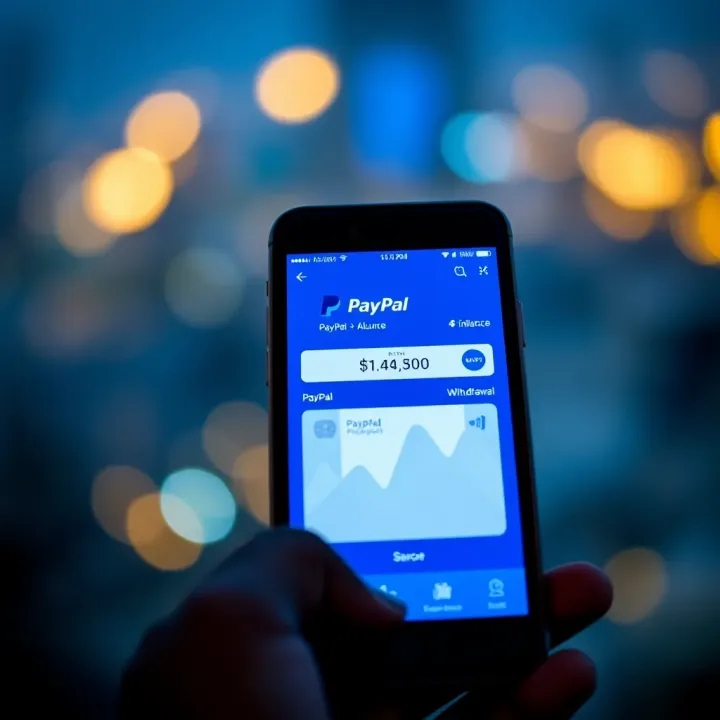
Learn how to withdraw money from PayPal in Kenya using safe steps. Find out about withdrawal methods, fees, limits, M-Pesa transfers, currency exchange, and regulations 💸📲
📈 Learn how Kenyans can easily register, login, and secure their Olymp Trade account with practical tips for smooth trading and troubleshooting common issues.
Based on 6 reviews