

Understanding Forex Trading for Kenyan Traders
📉 Get a clear, practical guide to forex trading in Kenya! Understand market basics, currency factors, risk management, and tech setup to trade confidently.
Edited By
Sophie Bennett
Mobile forex trading apps have reshaped how Kenyans engage with the currency markets. These apps offer the convenience of trading anytime and anywhere, using just a smartphone. However, with the growing number of options, it's not always straightforward to pick the right app or use it effectively.
Choosing a reliable forex trading app in Kenya means considering factors like regulation, security, user interface, and accessibility. For instance, apps affiliated with brokers regulated by the Capital Markets Authority (CMA) Kenya offer a higher level of protection. Popular apps such as MetaTrader 4 (MT4), MetaTrader 5 (MT5), and the local FXPesa platform come with features fit for Kenyan traders, including support for local currency deposits via M-Pesa.

Once you select an app, downloading and installing it typically involves these steps:
Ensure your mobile device has sufficient storage and a stable internet connection.
Visit official app stores like Google Play or Apple App Store to avoid counterfeit versions.
Search for the app by name and read recent user reviews to confirm legitimacy.
Install the app, then register an account providing accurate identification to comply with Kenyan forex trading laws.
Always secure your trading account with a strong password and enable two-factor authentication where available to protect your funds and personal information.
After installation, familiarise yourself with key features such as real-time price charts, order execution options, risk management tools like stop-loss and take-profit settings, and news feeds that affect forex markets globally and locally.
Safe trading also means setting realistic goals and avoiding risky leverage levels common in forex. Monitor your trades regularly and keep record of your transactions to track profitability and losses.
By understanding how to download and use forex trading apps properly, Kenyan traders can navigate the forex market confidently while minimising risks associated with unverified platforms and poor trading practices.
Selecting a reliable forex trading app is essential for anyone looking to succeed in Kenya's forex market. The right app not only eases trading activities but also safeguards your funds and personal data. Many traders overlook factors such as app security and supported features, only to face complications like delayed transactions or exposure to scams. Thus, knowing what to look for can save you time, money, and frustration.
A straightforward, easy-to-navigate interface helps traders make quick decisions, especially in a volatile forex market. For example, a clean dashboard showing live prices, buy/sell buttons, and account status means you won't fumble when timing is critical. Apps cluttered with unnecessary features or confusing layouts may slow you down and lead to missed opportunities.
Security can't be overemphasised when dealing with real money. Choose apps regulated by well-known authorities or compliant with international standards to reduce risks of fraud or theft. Kenyan traders should also prefer apps offering two-factor authentication or biometric login to add an extra layer of safety. Without these, your account and funds remain vulnerable to cyberattacks.
Not all forex apps provide a wide range of currency pairs. If you are keen on trading exotic pairs like EUR/ZAR or USD/NGN, confirm the app supports these. Limited options might restrict your experience and potential profits. The best apps offer both major, minor, and some region-specific pairs, allowing Kenyan traders to diversify.
Transaction or commission fees vary significantly between apps. High fees can eat into profits, especially for active traders or those using smaller accounts. Look out for spreads and charges on deposits or withdrawals as well. For instance, some platforms may accept M-Pesa deposits with low fees, which can be a big advantage locally.
Responsive customer support ensures help is at hand when technical or account problems arise. Ideally, the app should offer multiple support channels such as live chat, email, or phone. Timely assistance reduces downtime and frustration, which is vital when the forex market moves fast.
MetaTrader remains a staple for many Kenyan forex traders due to its reliability and comprehensive tools. MT4 is known for a simple interface, while MT5 offers enhanced features like more timeframes and technical indicators. Both provide good support for automated trading, which appeals to more experienced users.
Though primarily a cryptocurrency exchange, Binance’s app supports forex trading through derivatives and spot trading of forex-related tokens. It's popular in Kenya for its extensive asset offerings and tight security measures. However, beginners may find its interface complex compared to dedicated forex apps.
IQ Option is popular for its ease of use and educational resources. The app provides access to forex alongside other instruments like stocks and options, making it a favourite for those who want a broader trading portfolio. Its demo account feature is useful for new traders looking to practice.
Plus500 offers straightforward forex trading via contracts for difference (CFDs). Its app is clean and simple but comes with limited analytical tools. It suits traders who prefer an uncomplicated trading experience and quick order execution.
Several Kenyan brokers provide their proprietary apps tailored to the local market. These often integrate M-Pesa for deposits and withdrawals, which adds convenience not always available in global apps. Local apps may also cater specifically to regional regulatory requirements, offering added trustworthiness.
Picking the right forex trading app isn't just about features — it is about matching the app to your trading style, goals, and risks. Always take time to research and try demo versions before committing your money.
Downloading and installing forex trading apps is the first critical step for any Kenyan trader keen to tap into the forex market using their mobile device. Getting this process right means you avoid fake or malicious apps and ensure smooth access to real-time trading tools. This section outlines practical steps and important considerations for downloading and setting up forex trading apps specifically tailored to the Kenyan mobile ecosystem.
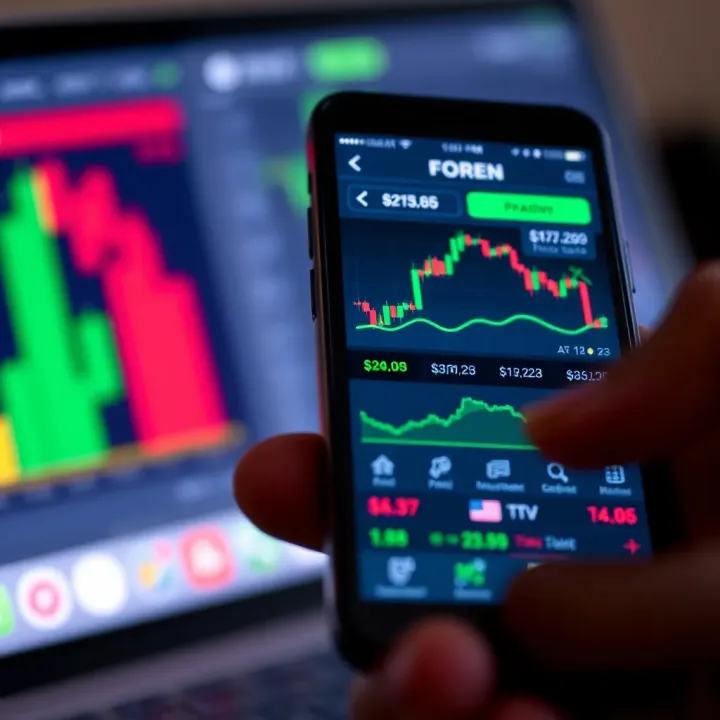
Most Kenyan traders use Android mobiles given their affordability and widespread availability. This makes the Google Play Store the primary and safest source for forex trading apps. Downloading from here ensures you're getting the officially verified versions of apps like MetaTrader 4, Binance, or local broker platforms approved by regulators. The Play Store also provides user reviews, ratings, and regular updates helping you pick apps that are reliable and up-to-date.
Avoid downloading APK files from unknown websites, which can contain malware or outdated versions with security flaws. Always check the developer's name and read user comments briefly to verify credibility before installing. For example, you might find the "MetaTrader 4" app developed by MetaQuotes Software Corp, a trusted name in forex trading.
For Kenyan traders with iPhones or iPads, the Apple App Store is the official place to get forex trading apps. Like Google Play, it screens apps to meet security and quality standards. Here, apps like Plus500, IQ Option, and ForexTime (FXTM) can be safely downloaded.
Apple devices tend to be more restrictive, meaning apps undergo stricter checks and permissions before availability. Thus, installing from the App Store reduces risk of scams or fraudulent platforms. However, sometimes new local broker apps might take longer to appear, so patience is key if you use iOS.
Before downloading, verify that your mobile device can run the forex app smoothly. Check the app’s required Android or iOS version in the store description. For instance, MetaTrader 5 needs Android 5.0 or above, so older phones might struggle. Ensuring compatibility prevents installation failures and lagging during trading.
Look also at storage space; some apps need up to 100 MB or more, plus space for historical data. Use your device settings to confirm you have enough free memory.
Once compatibility is confirmed, tap the ‘Install’ button to download. Make sure your internet connection is stable enough – use Wi-Fi rather than mobile data where possible to save costs. The download time depends on the app size and your network speed.
Keep your device plugged in or charged above 30% to avoid interruptions which may corrupt the installation process.
After download, your device will install the app automatically. Upon first launch, the app usually asks for permissions – for example, access to notifications or storage. Read these carefully; a trading app will not need your camera or contacts, so reject unnecessary requests.
Granting permissions helps smooth functioning, such as enabling push notifications for price alerts or secure storage for credentials. However, stay alert to permissions that seem irrelevant to trading.
With the app installed, the next step is account setup. You will typically register using an email or mobile number. Kenyan forex apps often integrate M-Pesa or bank payments right here for deposits and withdrawals.
Complete your profile with accurate identity information, as most regulated brokers require KYC (Know Your Customer) verification. This protects you from fraud and ensures compliance with the Capital Markets Authority (CMA) rules in Kenya.
Having a properly set up and verified account means your trades and funds will be secure, and you can access all features, including live trading, historical charts, and support.
Follow instructions from your chosen broker carefully during registration. Some apps offer demo accounts – use those first to practise without risking real money.
By following these steps to download and install your forex trading app correctly, you lay the groundwork for a safer and more effective trading experience on your mobile device in Kenya.
Choosing the right features in forex trading apps can seriously influence your trading success. These features provide the tools you need to react quickly to market changes, manage your funds securely, and execute trades effectively. Given the unpredictable nature of forex markets, especially for traders in Kenya who often rely on mobile connectivity, it’s crucial to focus on functions that offer real-time data, fast order execution, and convenient banking options.
Live price feeds are the lifeblood of any forex trading app. They show you updated prices of currency pairs as they move, helping you make decisions based on current market rates rather than outdated information. For example, if the USD/KES rate shifts, having access to instant price changes means you can react immediately, whether to buy or sell.
Without real-time data, you risk trading on stale prices, which can lead to losses or missed opportunities. Apps like MetaTrader 4 and Binance provide reliable live price feeds, ensuring traders stay in the loop wherever they are.
Technical analysis tools go hand in hand with live data. These tools include indicators such as moving averages, MACD (Moving Average Convergence Divergence), and RSI (Relative Strength Index). They help traders study past price trends and predict possible future movements. For the Kenyan trader, these tools help in spotting entry and exit points, making trades based on patterns rather than guesswork.
For instance, if the RSI indicates a currency is overbought, it might be a sign to sell before the price drops. Such tools boost confidence and improve trading strategies by giving a clearer view of market dynamics.
Market orders are instructions to buy or sell a currency pair immediately at the current market price. They are useful when you want to enter or exit a trade without delay. In volatile markets, the ability to execute market orders promptly can preserve profits or limit losses.
For example, during an unexpected announcement, prices may move quickly. Placing a market order ensures your trade happens right away, rather than waiting for a specific price that may never come.
Limit and stop orders give you more control by setting specific price points for buying or selling. A limit order will only execute at a price better than or equal to your set level, letting you buy low and sell high. Meanwhile, a stop order automatically triggers a sale or purchase once prices hit your preset level, helping manage risks without constantly monitoring the app.
This is especially relevant in Kenya, where traders might not be able to watch the market all day due to busy schedules. Setting stop-loss orders, for example, can help protect your capital from significant drops.
Risks of delays are something to watch out for. Poor internet connections or overloaded servers can slow down order execution, leading to slippage where your trade happens at a less favourable price than intended. This can eat into profits or increase losses.
Traders using apps in Nairobi’s crowded networks or in less connected parts of Kenya need to pick platforms known for fast and reliable execution. Some apps offer low-latency servers and offline order placement to minimise these risks.
Good forex apps make it easy to manage your funds directly within the platform. Deposit and withdrawal methods should be straightforward, fast, and secure to keep your trading smooth. For instance, prompt withdrawals are important if you need to cash out profits quickly. Easy deposits encourage consistent trading without disruptions.
In Kenya, where mobile money is prevalent, apps that accept M-Pesa give a notable advantage. Linking your forex account to M-Pesa means you can fund your trades instantly without the hassle of bank visits or waiting days for bank transfers.
Similarly, some apps support direct bank transfers, allowing you to connect your KCB, Equity, or Co-operative Bank accounts for bigger transactions. This flexibility helps you move money as suits your trading frequency and amounts.
Always check if your chosen app charges fees on deposits or withdrawals, as these can affect your net returns over time.
Ultimately, these account and banking features affect not just convenience but also your ability to respond swiftly to market changes. For Kenyan traders, the integration of M-Pesa with forex apps simplifies the trading experience and promotes faster turnover.
Selecting apps with these key features gives you better control, reduces risks, and improves your chances of succeeding in forex trading through your mobile device.
Trading forex on mobile apps offers great convenience, but it also comes with risks that need managing carefully. This section focuses on key tips to help you trade safely while making the most of your app’s features. By following practical steps, you reduce chances of falling into scams or avoidable losses, especially important in Kenya’s fast-growing online trading scene.
Before downloading any forex trading app, confirm it comes from a legitimate provider. Always get apps from official sources like Google Play Store or Apple App Store. Check that the developer’s name matches known brokers or financial companies. Also, verify the app’s security certifications and regulatory compliance, such as licencing from the Capital Markets Authority (CMA) Kenya. This helps prevent fake apps designed to steal your personal data or drain your trading account.
User reviews provide valuable insight beyond official app descriptions. Look out for comments on smoothness, speed, and reliability. Pay close attention to complaints about sudden account closures, withdrawal problems, or poor customer support. While one bad review isn't a red flag, consistent negative feedback should raise caution. For example, some traders in Nairobi reported losing funds after using unverified apps with poor reviews – better to avoid such risks.
Be wary of unexpected messages or calls promising guaranteed profits or insider tips on forex trading. These often come with phishing links to bogus apps or websites aiming to scam you. Legitimate brokers do not cold-call or send random app offers. If you receive such invites through WhatsApp or email, don’t click links or share your details. Instead, stick to well-known platforms you’ve researched thoroughly.
A stop-loss order automatically closes your trade at a set loss level to prevent deeper deficits. Using stop-losses is essential on mobile apps that may face network hiccups or delayed price updates. For instance, during rapid market swings, a well-placed stop-loss can protect your KSh account from sudden crashes. Always set stop-loss points before trading, matching your risk tolerance.
Forex rates react quickly to events like changes in CBK policies, US Fed announcements, or political developments. Many apps offer integrated news feeds, helping you track factors affecting Kenyan Shilling and other currencies. Staying informed lets you adjust positions on time. For example, if CBK hints at interest rate hikes, the Shilling might strengthen – a signal to review open trades.
Most forex apps in Kenya provide demo accounts where you trade virtual money. This allows you to practise strategies without risking your cash. For new traders, demo accounts build confidence in navigating the app’s features and understanding market movements. It also helps familiarise with order types and execution speed, cutting down costly beginner mistakes when moving to real money trading.
Taking these practical safety steps keeps your forex trading experience secure and effective. Protect your capital and avoid scams by verifying apps, reading reviews, and steering clear of unsolicited offers. Use app tools like stop-loss orders and demo trading to manage risks smartly. With consistent learning, you’ll trade more confidently in Kenya’s mobile forex market.
When it comes to forex trading apps in Kenya, dealing with technical hiccups is almost part of the process. Knowing how to troubleshoot common problems that happen during download and use means you can avoid unnecessary delays and frustration. This helps you stay focused on trading and managing your investments without losing time figuring out app issues.
Insufficient storage space is a common roadblock, especially on mobile devices with limited memory. Forex apps, particularly ones like MetaTrader 4 or Binance, can take up significant space because of their data-heavy features and charts. If your device lacks enough free storage, the installation may fail or the app might not update properly.
To fix this, start by checking your device’s storage in settings and clearing out old apps, photos, or videos you no longer need. Sometimes just deleting cached data or moving files to an SD card can free up enough room. It’s good to regularly monitor your device’s storage, especially if you want to install multiple trading apps or keep detailed market data.
Compatibility issues happen when your device's operating system (OS) or hardware doesn’t support the version of the forex app you want to use. Many apps require Android 8.0 (Oreo) or iOS 12 and above. If your device is running an older OS or has too little RAM, the app won’t install or will perform poorly.
If your device is older, check for any available OS updates first. If updating isn't possible, you might need to use a web-based version of the trading platform or consider upgrading your device. Some local brokers provide lightweight apps optimised for lower-end mobiles, which can be a practical choice.
Slow internet connection is a major factor that can affect your forex trading experience. Forex markets move quickly, so delayed price updates can lead to missed opportunities or poor trade execution. In Kenya, internet speed can vary greatly depending on your location or network provider.
Using a reliable mobile network such as Safaricom’s 4G or Airtel’s latest coverage plans helps maintain good connection speeds. Also, avoid trading when your signal is weak or fluctuating, such as in remote rural areas or during network outages. Using Wi-Fi in areas with better connectivity may improve performance.
App freezing or crashes often occur due to software bugs, outdated app versions, or insufficient device resources. For example, trying to run a heavy app alongside several other background services can overload your phone, causing the forex app to freeze just when you want to place an urgent order.
To reduce this, keep your forex app updated, close other apps not in use, and restart your device regularly. If crashes persist, reinstalling the app sometimes clears corrupted data. If the problem continues, reaching out to customer support of the app, especially local broker apps with Kenya-based teams, can provide tailored help.
Smooth app operation is essential for successful forex trading. Tackling these common technical issues quickly keeps you in control and helps avoid costly mistakes.
By understanding these common problems and their practical fixes, you stay prepared and confident while trading forex on your mobile device in Kenya.
📉 Get a clear, practical guide to forex trading in Kenya! Understand market basics, currency factors, risk management, and tech setup to trade confidently.

📈 Learn forex trading basics, market operation, essential strategies, and risk management. Practical steps for Kenyan beginners to start trading confidently with KSh.
Learn how to trade forex safely in Kenya using M-Pesa for quick deposits and withdrawals. Discover trusted platforms, legal tips, and practical steps to grow your KSh wallet! 📈💰
💹 Learn how to trade forex online safely in Kenya. Discover trusted platforms, payment methods like M-Pesa, risk tips, and local regulations to boost your trading skills.
Based on 13 reviews